Watch YouTube faster, and only what you came for
Tempo puts speed up to 16×, cinema mode, a daily limit and focus filters one click away – so YouTube saves you time instead of taking it.
- No account, no tracking
- 0.25× to 16× speed
- English, Español, العربية, اردو
Features
Everything you wished YouTube had
All in one small popup, working on youtube.com and on YouTube videos embedded on any website.
-
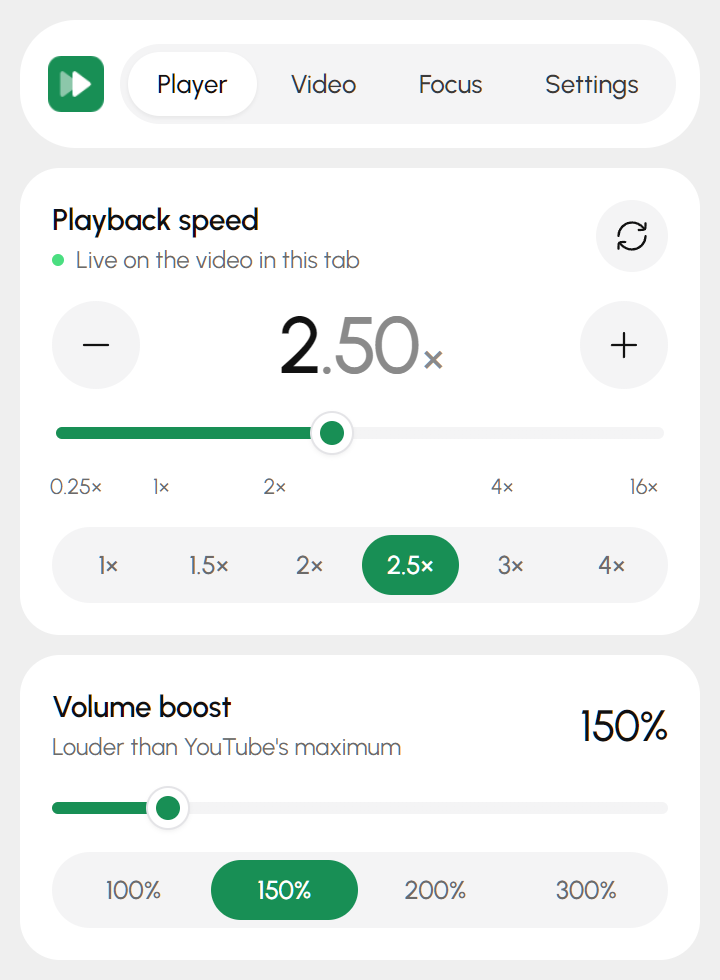
Speed up to 16×
Go past YouTube's 2× limit with presets, a fine slider or the [ and ] keys. Your speed carries over to the next video.
-
Resume where you left off
Close a long video and come back later – it picks up from your last spot, even when you're not signed in.
-
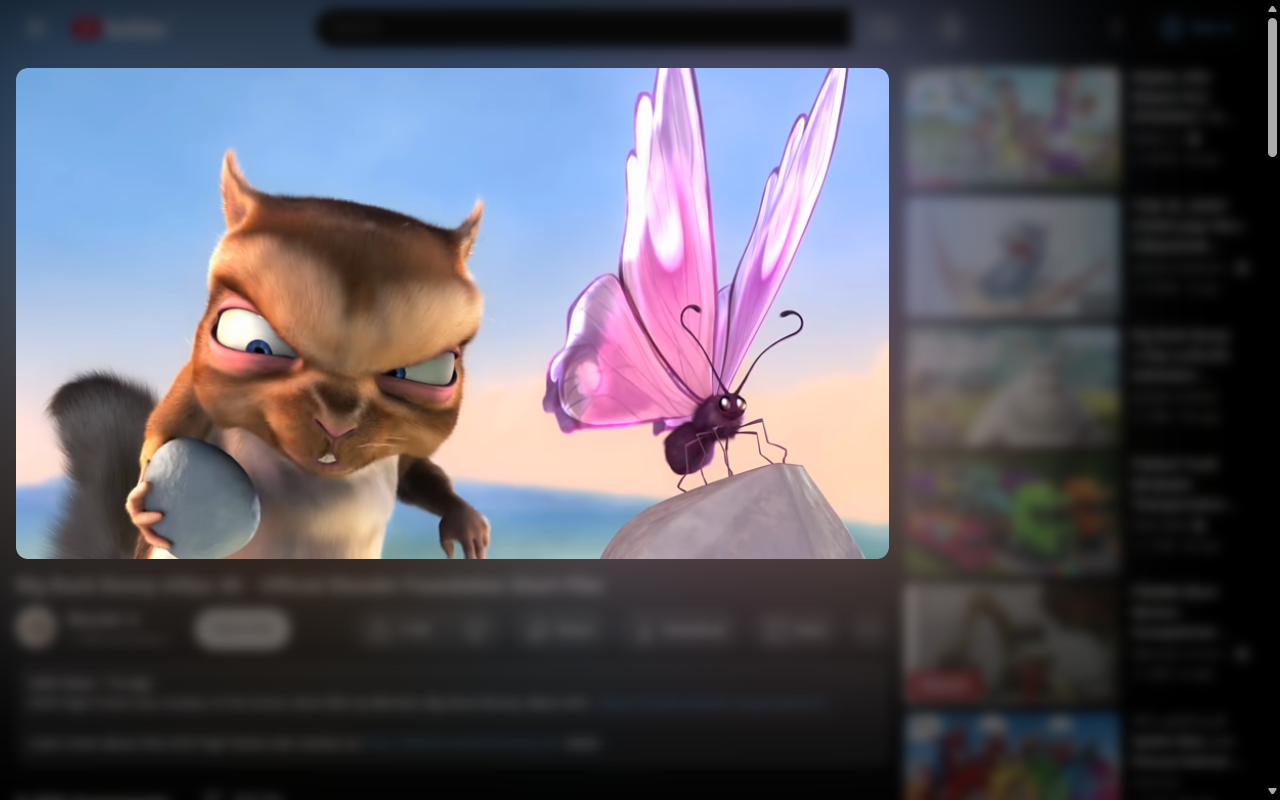
Cinema mode
Dims and blurs everything except the video, with a soft ambient light glowing behind it. Shift+C to toggle.
-
Daily limit
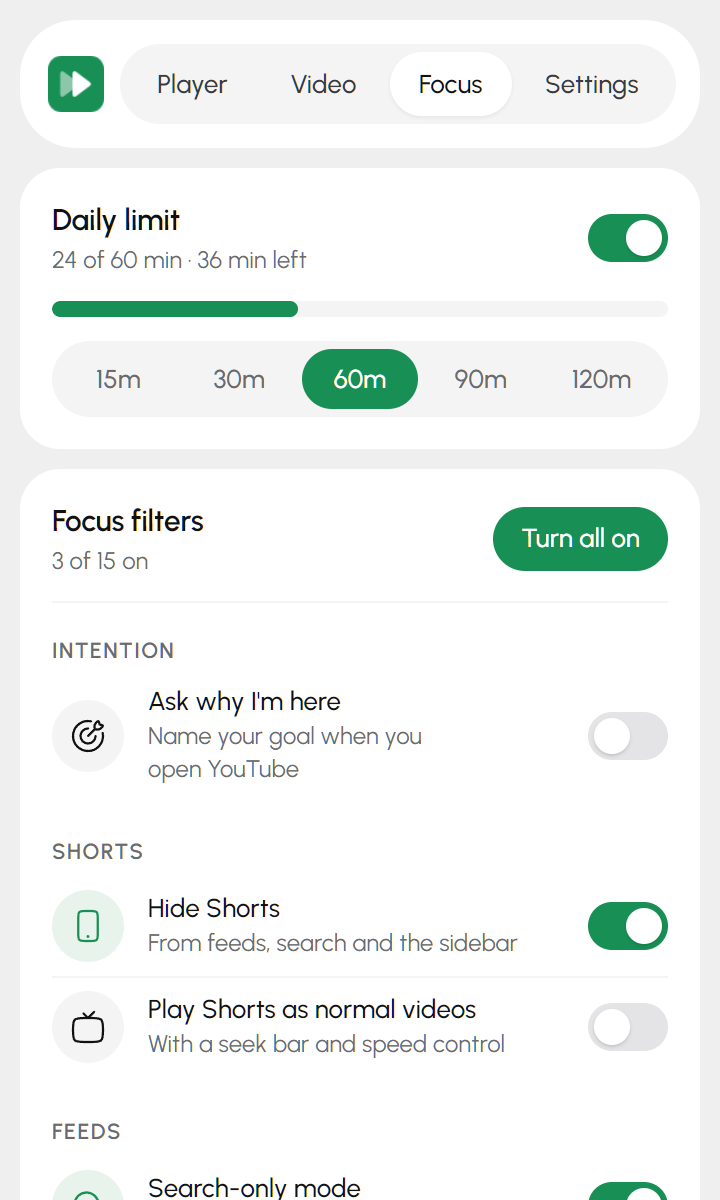
Pick 15 to 120 minutes a day. When time's up, Tempo pauses the video and offers to close the tab.
-
Focus filters
Hide Shorts, the home feed, related videos, comments, Mixes and autoplay – or switch to search-only mode.
-
Transcripts and loops
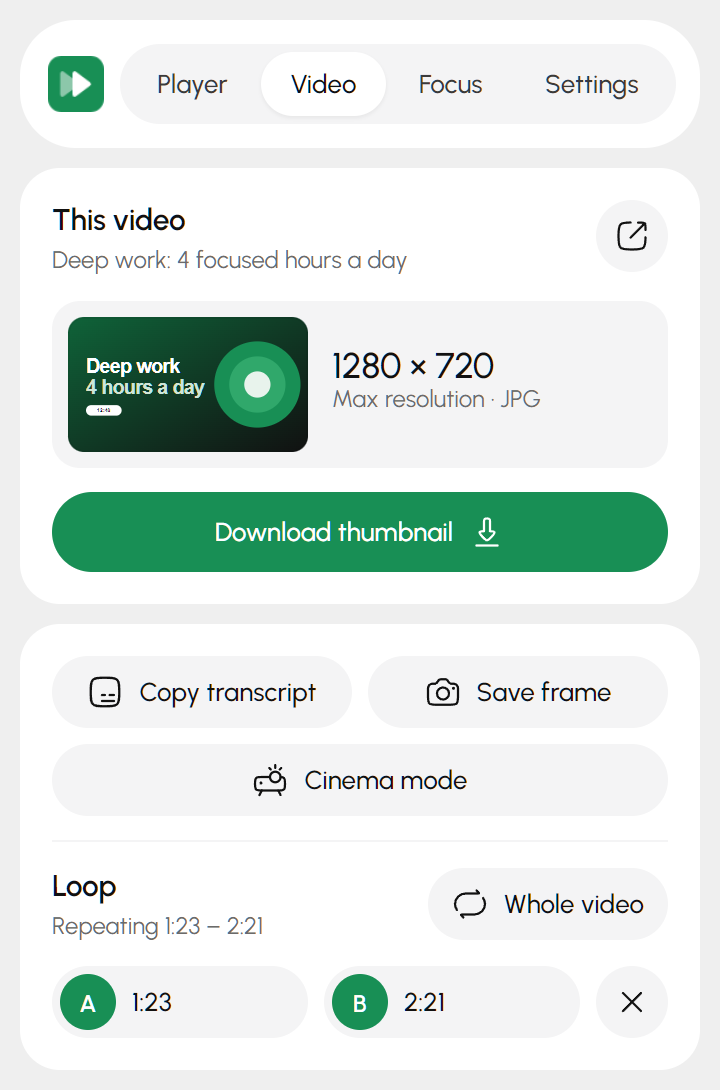
Copy the full transcript with timestamps, or repeat one part of a video with an A–B loop.
-
Sound and picture
Boost quiet videos up to 400%, set brightness and warmth for night viewing, and choose a default quality.
-
Thumbnails and frames
Download any video's thumbnail in full resolution, or save the current frame as a PNG.
-
Why are you here?
Name your goal when you open YouTube, and Tempo keeps it in view while you browse.
Cinema mode
Just you and the video
Everything around the player fades back, and the video's own colors glow softly behind it.
The popup
Four tabs, no clutter
Player, Video, Focus and Settings – everything is a tap away and works the moment you change it.
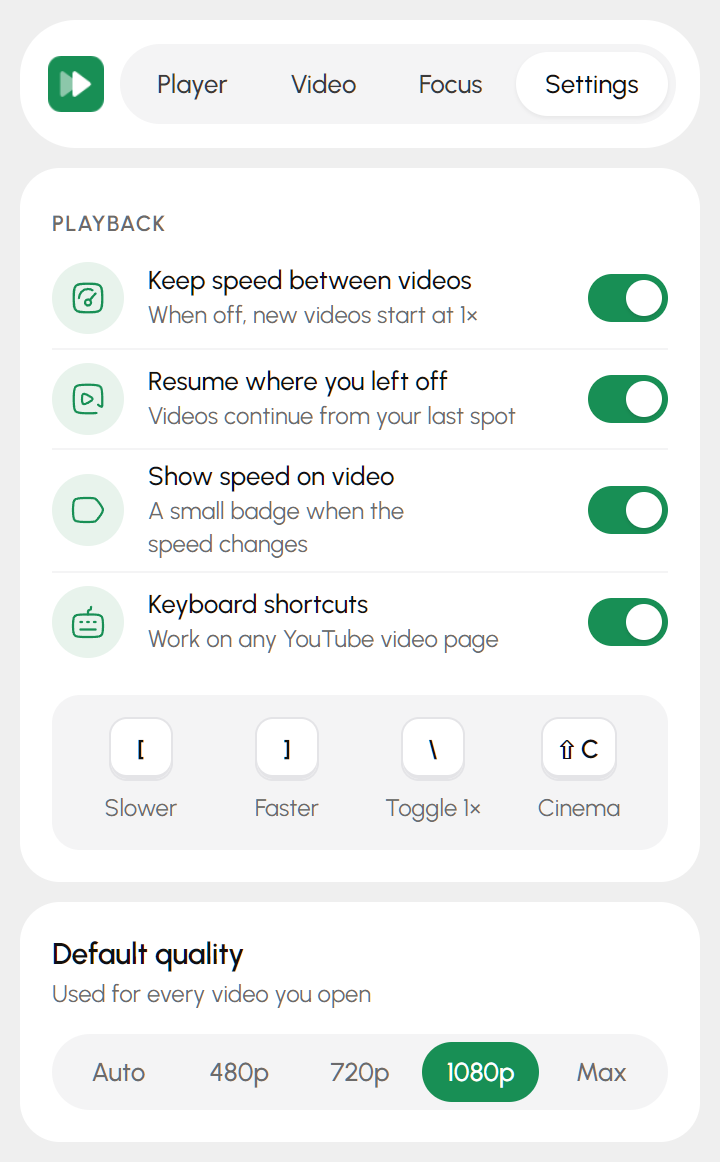
Keyboard
Shortcuts on every video
- [Slower
- ]Faster
- \Toggle 1×
- ⇧CCinema mode
Private by design
Tempo has no servers, no accounts, no analytics and no ads, and it never contacts any outside service. Your settings stay in your Chrome profile.
FAQ
Questions
Is Tempo free?
Yes. Tempo is free, with no ads, no account and no paid tier.
Does Tempo collect my data?
No. Everything happens in your browser and your settings stay in your Chrome profile. Tempo doesn't send anything anywhere. See the privacy policy.
Does it work on embedded YouTube videos?
Yes. Tempo works inside YouTube players embedded on other websites, like course platforms and blogs. If a page has several videos, the popup lets you choose which one to control. Tempo runs only inside the YouTube player, never on the rest of the page.
Why does the sound get choppy at very high speeds?
Chrome can play video up to 16×, but speech becomes hard to follow above about 4×. High speeds work best for skimming.
Does Tempo block ads or download videos?
No. Tempo doesn't block or skip ads and doesn't download videos. It downloads thumbnails, single frames and transcripts only.
A filter stopped working – what happened?
YouTube changes its pages often, which can occasionally break a filter until Tempo is updated. Updates install automatically from the Chrome Web Store.